
Saving money is not easy, especially with a higher cost of living, an increase in consumer debt, and other unexpected circumstances that people face every day. Some people find saving difficult if they do not have the appropriate resources or tools.
TCU Goal Builder does the work for you! In a few simple steps, you can start saving toward your financial goals and work towards creating a better financial future. To begin, visit TCU Goal Builder under the “Additional Services” tab within your Triangle Credit Union online banking or the “More” button in the mobile app.
Goal Builder
- Set Your Goal
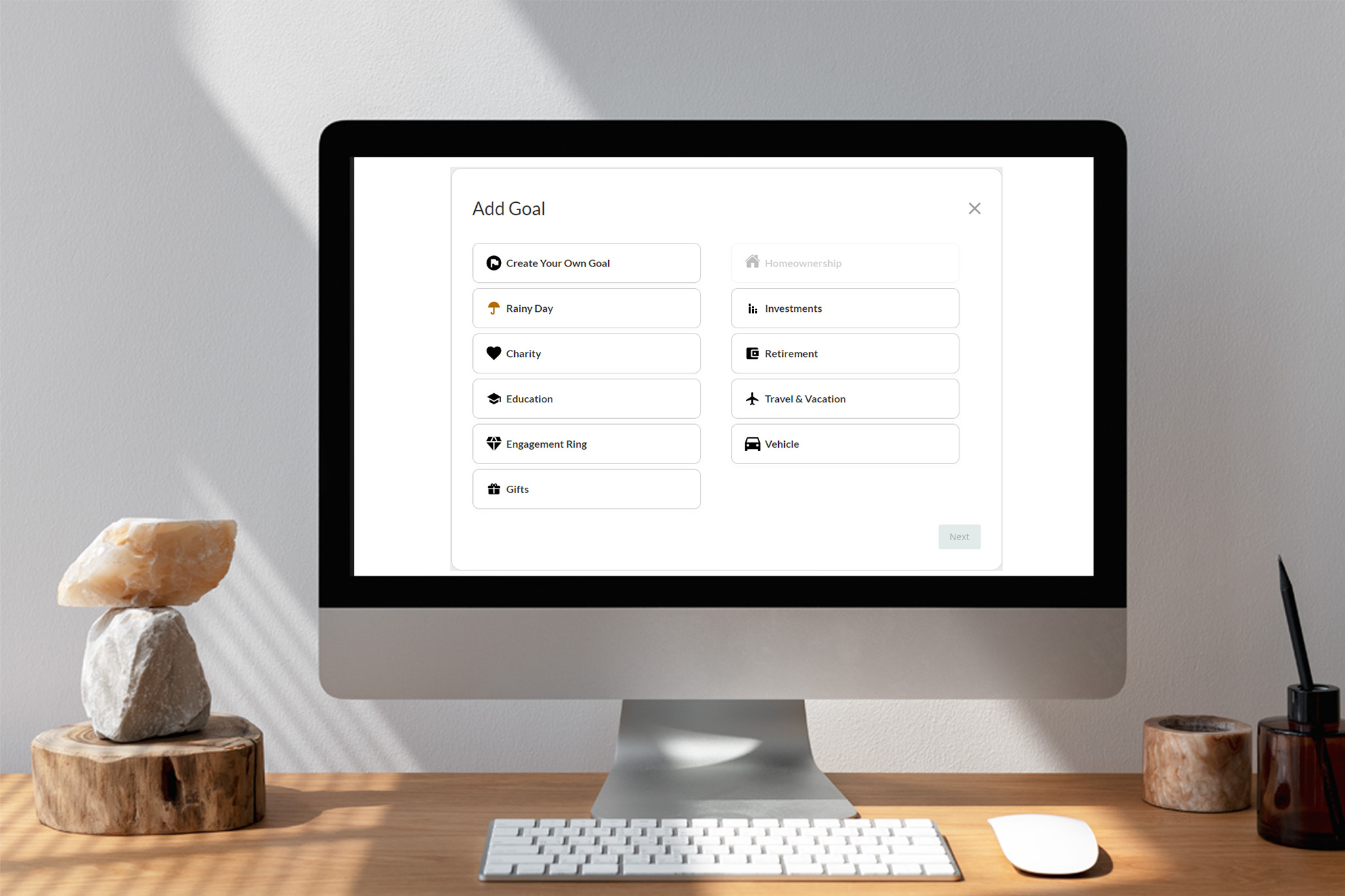
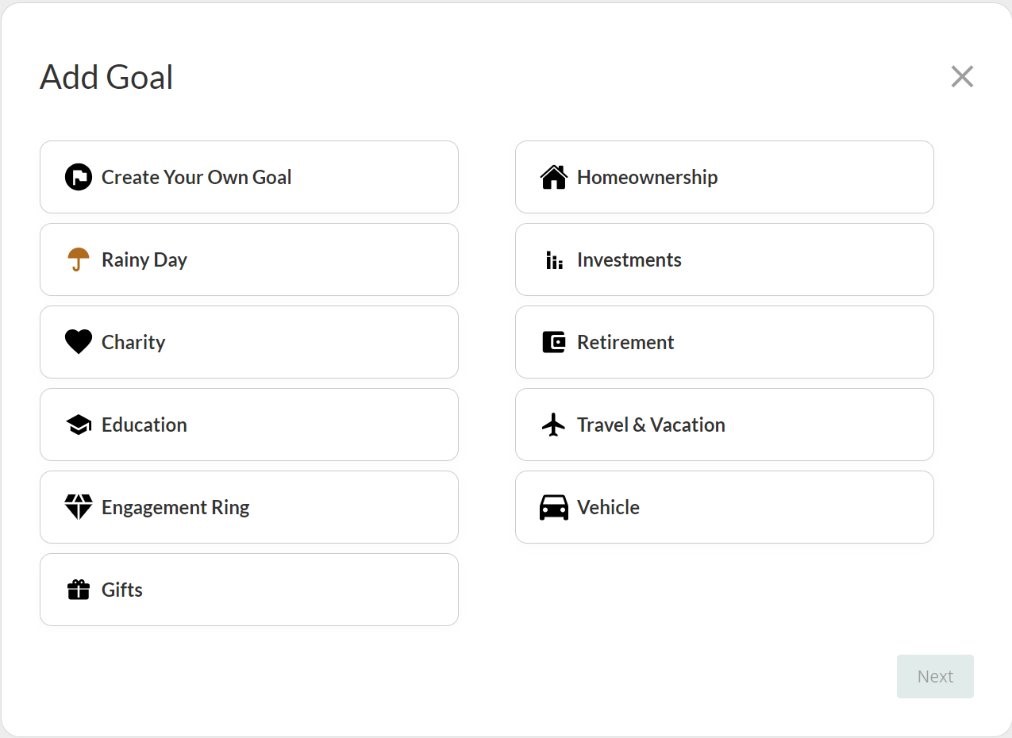
After you select the TCU account you want to link to Goal Builder, you will choose your goal type. You can choose from 10 premade goals or even create your own (based on your desired savings goal). Are you saving for a down payment on a new home? Choose Homeownership. Are you hoping to start planning a family vacation in the future? Choose Travel & Vacation. You can use Goal Builder even if you don’t have a specific savings goal in mind. The Rainy Day goal is an ongoing saving goal that has no end so you can continuously save money to use whenever you need or want! If none of the pre-determined saving goals align with your financial plans, you can Create Your Own Goal with a custom name.
- Set The Amount
After choosing the right savings goal for your future financial plans, you will need to set the total amount of your goal. There are three ways to set the goal:
- Enter it in the text box
- Use the slider
- Edit the estimated goal amount with the pencil icon
- Set Your Start and Target End Date
After setting the total amount you want to save towards your goal, you will need to choose the start and end date for your goal! This is valuable information because it will determine how much money will be allocated to your goal based on the frequency you choose to contribute to it.
- Set The Frequency
The frequency of the goal is how often you want the money to be set aside. You can choose from a variety of options such as weekly, bi-weekly, monthly, every 6 months, etc. If you’re new to saving and budgeting, it might make sense to choose the frequency that matches how often you get paid. For example, if you get paid weekly, you can choose to contribute to your savings goals weekly.
Set Goal Rules
The next step is to set the rules for each goal. During this step, you are given the opportunity to assign money to your goal immediately. There’s no time like the present, or so they say! Also, on the rules screen, you have the chance to further narrow down the rules of this goal. You can choose either scheduled, recurring designations (previously set up) or a certain percentage of each deposit into your account. Both options have their advantages, and choosing the right one depends on your specific situation.
If you choose scheduled, recurring designations:
- Choose the amount
- Select the frequency
- Choose the day of the week/month for the money to be designated
- Decide when it ends (ex. The end date, when you complete the goal, or a certain number of transfers
If you choose a percentage of each deposit:
- Enter the percentage to be designated with each deposit
Review Your Goals
Double-check your goal set-up, click confirm, and you’re on your way to achieving your goals and going on new adventures!
Manage and Track Your Goals
After you’ve set your goals, you can view all goals—active, completed, and inactive—on the goal summary page.
- Active Goals: All goals actively allocating funds
- Completed Goals: All goals that have been met and then closed. Note: A met goal will continue to be allocated until closed
- Inactive Goals: Goals that are incomplete but have been paused by the user
Also, on the goal summary page, you can edit and pause your active goals as well as view your current remaining account balance that can be designated to other goals. Here, you can set a reserve limit that will notify you if your remaining balance drops below a certain level.
Not sure how much you would need to designate your goal to reach it by your target date? Use the goal calculator to determine the correct amount! Simply follow these 4 steps:
- Enter the total amount you wish to save
- Choose the start date
- Choose the targeted end date
- Select the frequency at which you wish to contribute to the goal (ex. Weekly, bi-weekly, monthly, etc.)
Following these steps will show you how much you need to contribute (at your desired frequency) to achieve your goal on time!
The money set aside never leaves your account—it is simply allocated towards your goals and is accessible at any time. Get started today by logging into your Triangle Credit Union online banking account, clicking on “Additional Services,” and then clicking on TCU Goal Builder. If you’re using the mobile app, click on “More” then TCU Goal Builder.