
Are you planning to travel for the holidays?
If so, it’s critical you keep your credit cards secure, and luckily, it’s easier now than ever to protect your cards from fraudulent activity.
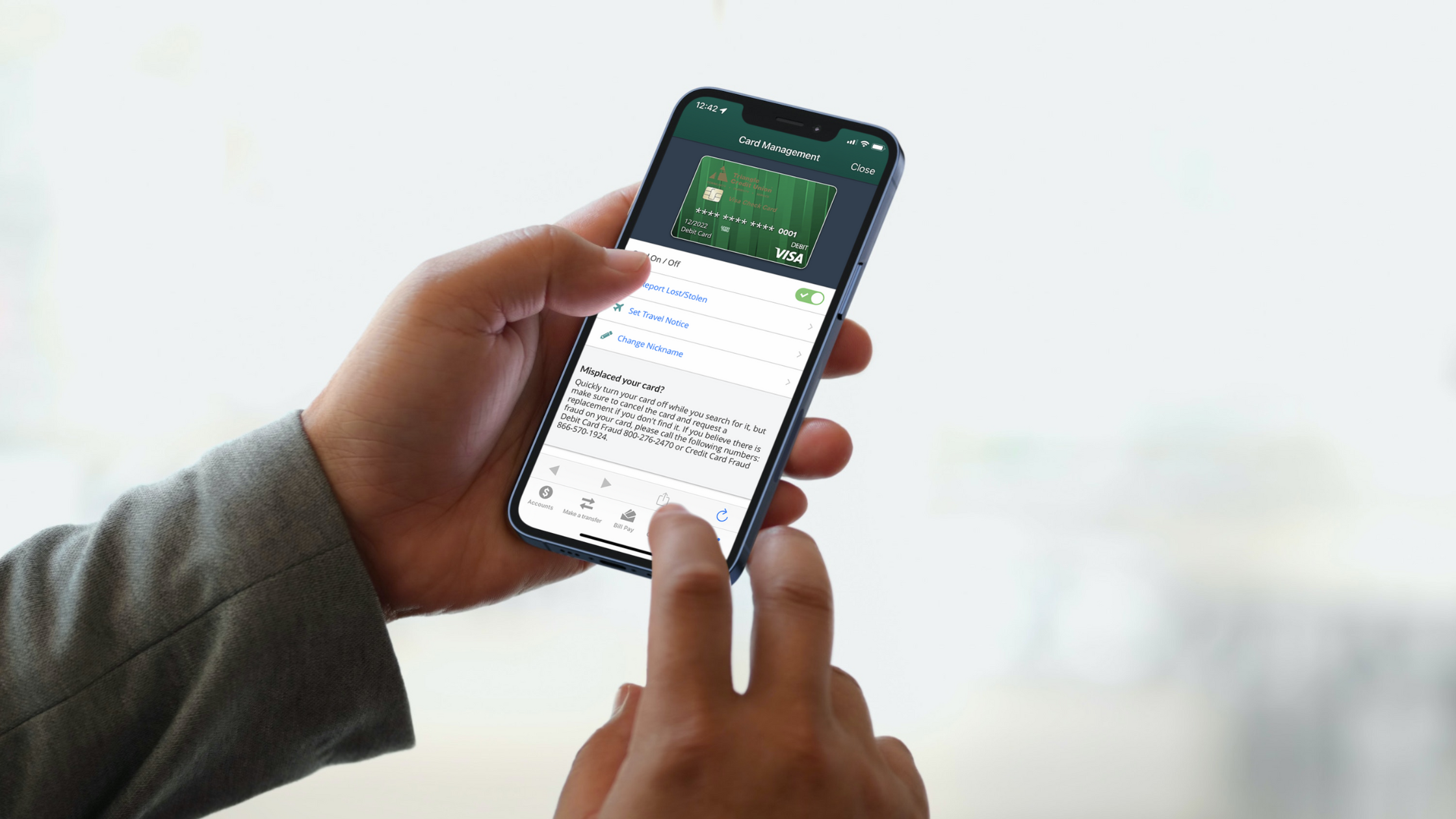
At Triangle Credit Union, it’s simple and easy to manage your cards on the go with our TCU mobile banking app!
The TCU app gives you access to important functions that give you complete control over your cards, which can definitely come in handy around the holidays.
Set Travel Notifications
Traveling for the holidays might take you across the country, maybe even the globe, and if you’re planning a trip, you’ll want to make sure you set travel alerts for your credit and debit cards.
Setting travel notifications should be the first step you take because you may not be aware, but many card companies will track the geolocation of your card and place a lock on it if it shows up in a location suspiciously far from your address on file.
By setting travel notifications within the app, you can alert Triangle Credit Union before you travel so we know you’ll be using your cards in a different location, and therefore it won’t be locked when you try to use it.
Turn Your Card Off and On
Setting travel notifications is not all you can use the card management tools for in the TCU app.
Being able to toggle between an off and on switch for your card is another great resource the app has to offer. This is great if you happen to misplace your card or if it gets stolen, but it’s also useful if you want to be proactive to make sure nothing can be purchased without you knowing.
With Black Friday right around the corner, the stores are going to be packed with rushed shoppers trying to get their holiday shopping done as quickly as they can.
You never know what exactly could happen in these situations, but it is always better to be over cautious. Before you head to the outlet malls or the department stores, log onto the TCU mobile banking app and simply turn your card off.
This will lock your card and give you peace of mind while you shop. The best part? You can easily log back onto the app when you are about to pay and unlock your card. It’s that simple.
If you can’t find your card or think it may have been stolen, the process is the same. Toggle the card off so it is locked while you look for your card. If you find the card, great! There’s nothing else to do but unlock the card. However, if you think the card may have been stolen, make sure to keep it locked and contact us so we can further assist you. You can also easily report your card missing or stolen right inside the Card Management feature of the Triangle CU app.
These two settings are sure to make your holiday season less stressful! Being able to control your cards right from your smartphone allows you to take control while you are on the go with just a few clicks.
If you want more information, watch the demo on how to use the card management tools inside the TCU mobile banking app.